


Talk to the experts
Learn more about Extend and find out if it's the right solution for your business.
June 5, 2026 8:00 PM

Ask any controller where their accounts payable process breaks down, and almost no one points to the approval step. Approvals are visible, they have owners, and most teams have a workflow for them. The friction shows up later, in the quiet gaps between an approved purchase order and a paid, reconciled invoice. That stretch is where invoices sit in inboxes, where data gets re-keyed, and where a perfectly good PO drifts out of sync with what actually got paid.
We spend a lot of time talking to finance teams about this exact stretch of the workflow. The pattern is remarkably consistent. The tools that handle the front of the process rarely talk cleanly to the tools that handle the back of it, so people become the integration layer. That works until volume grows, and then it quietly becomes the most expensive part of the operation.
This post walks through where those gaps form and how to close them, so the journey from approved PO to closed books behaves like one flow instead of a relay race.
On paper, the procure-to-pay cycle is tidy. Someone raises a purchase order, it gets approved, goods or services are delivered, an invoice arrives, it gets matched and paid, and the entry lands in your general ledger.
In practice, each arrow between those steps is a place where work piles up.
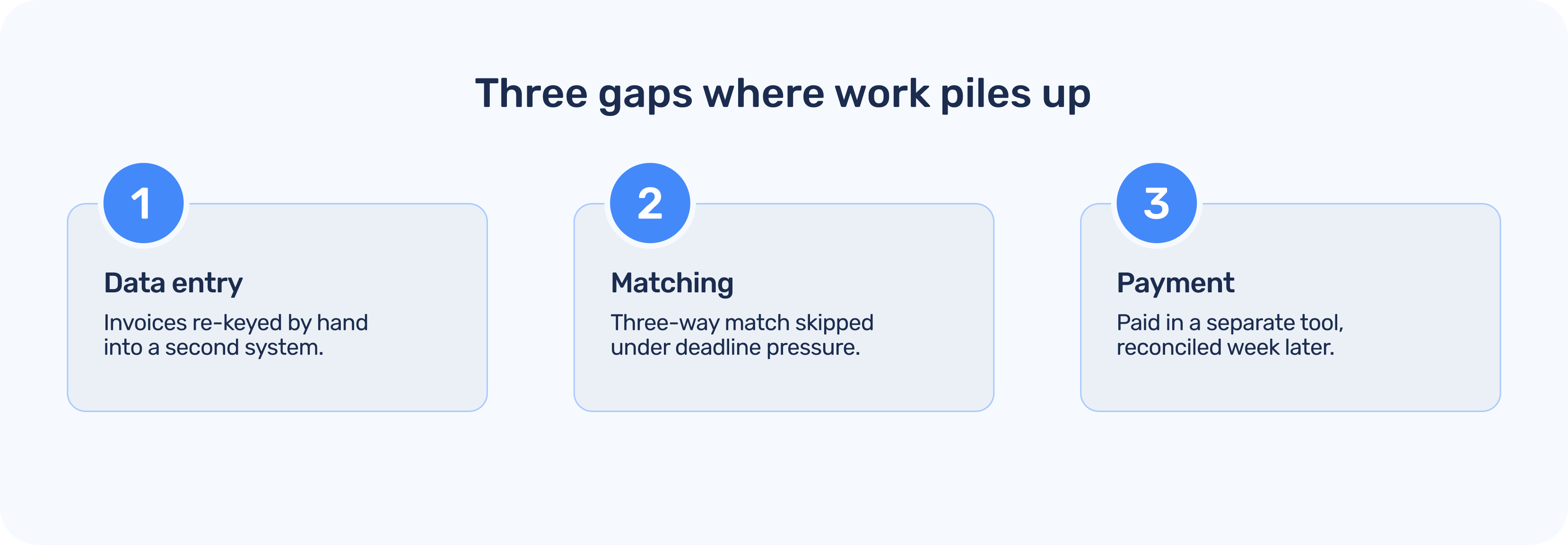
1. Data entry: An invoice arrives as a PDF or an email, and someone has to read it, find the matching PO, and type the details into another system. Every manual touch is a chance for a transposed number or a miscoded line.
2. Matching: Three-way matching, comparing the PO, the receipt of goods, and the invoice, is one of the strongest controls a finance team has. It is also tedious when done by hand, so it often gets skipped under deadline pressure. That is exactly when duplicate or inflated invoices slip through.
3. Payment: Even after an invoice is approved, the actual movement of money frequently happens in a separate tool, on a separate schedule, with separate records. The result is a payment that has to be reconciled back to the PO after the fact, often days or weeks later, when context has faded.
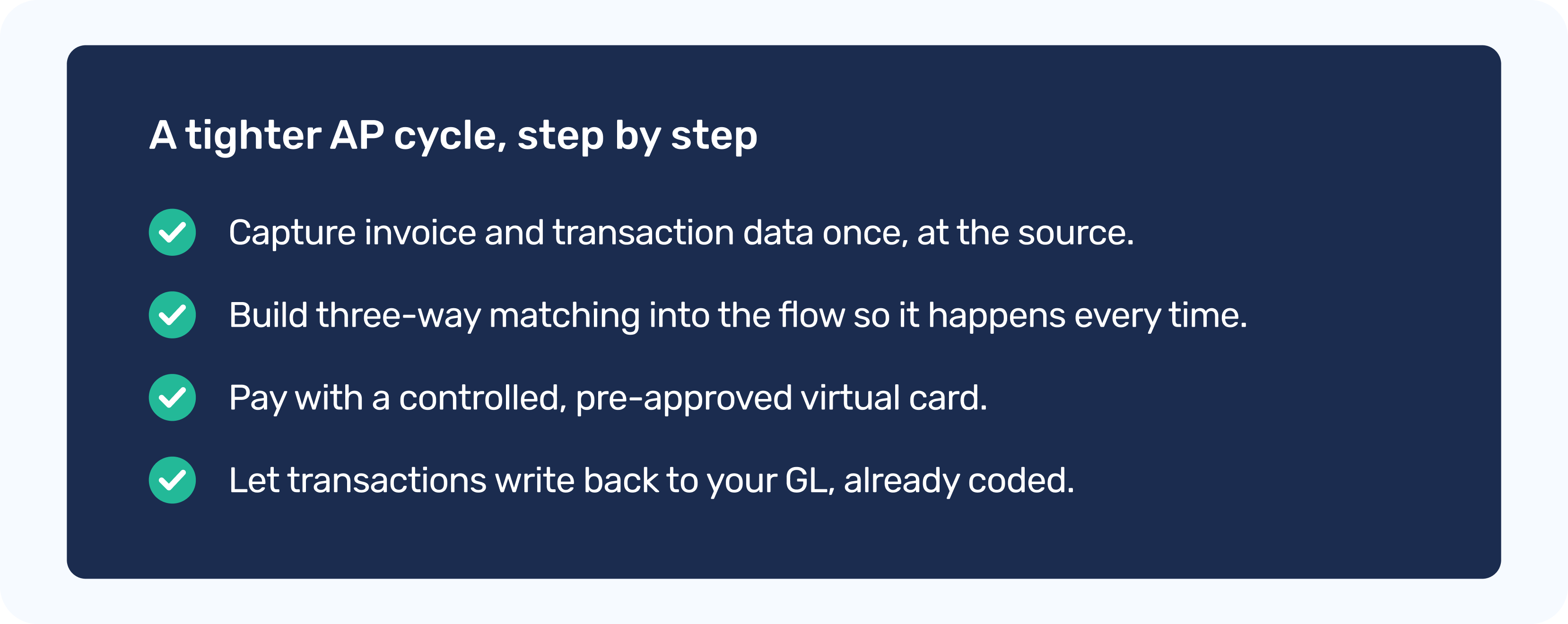
The single highest-leverage change is to stop re-keying. When invoice and transaction details are captured once and carried through the rest of the workflow, you remove the most common source of both delay and error. The goal is that nobody downstream ever has to look up what a charge was for, because that context traveled with it from the moment it was created.
Three-way matching only protects you if it happens every time. The way to guarantee that is to build it into the flow rather than relying on someone to remember it. When the PO, the goods receipt, and the invoice are all in the same place, the match becomes a confirmation step rather than a research project, and exceptions get surfaced instead of being buried.
This is where the payment method matters more than people expect. Virtual cards let you issue a single-use or vendor-specific card tied to a specific amount and budget. The approval and the spending limit are baked into the card itself, so a vendor cannot overcharge you, and an employee cannot spend beyond what was authorized. Just as importantly, the transaction data is captured at the point of payment, which means the line that hits your books already carries the vendor, the amount, and the coding you need.
The last gap, and arguably the most painful one, is reconciliation. If your payments live in one system and your accounting lives in another, someone has to stitch them together. That stitching is what turns the close into a multi-day grind.
The alternative is to let the payment tool write back to the accounting system as transactions happen. With Extend's accounting integrations for QuickBooks Online, QuickBooks Desktop, NetSuite, Xero, Sage Intacct, and Microsoft Dynamics 365 Business Central, each transaction can flow into your general ledger already coded and matched. Reconciliation stops being a task you schedule and becomes a state your books are already in.
Two features make this especially clean in day-to-day use. Additional Fields for Expense Capture let you require the specific data your accounting system needs, such as a GL code, a project, or a PO number, right when a card is used. And receipt management keeps the documentation attached to the transaction, so when an auditor asks, the evidence is one click away rather than a folder dive.
If you want to pressure-test your own process, walk it from approval to close and ask a few honest questions.
1. Does invoice data get typed in more than once?
2. Does three-way matching happen every time, or only when there is time?
3. Is the payment instrument tied to the approved amount, or is it a shared card with a high limit?
4. Does your payment activity reach your general ledger automatically, or does someone export and import it by hand? Are receipts attached to transactions, or stored somewhere separate?
Every "by hand" answer is a gap worth closing. You do not have to fix all of them at once. Even removing a single manual handoff, like the re-keying of invoice data, tends to pay for itself quickly in both time and accuracy.
Extend turns your business credit card into a spend & expense management platform, so the whole path from approved PO to closed books runs through one place.
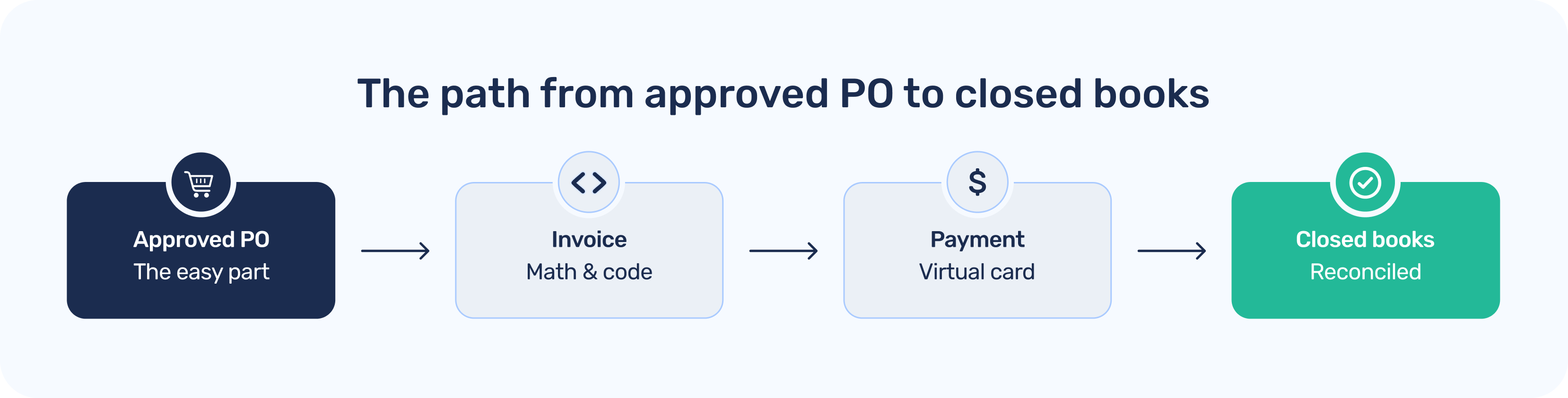
Virtual cards let you issue controlled, pre-approved payment instruments in seconds, with limits and budgets built in. Additional Fields for Expense Capture and receipt management make sure the data and documentation you need are captured at the moment of payment, not reconstructed later. And native accounting integrations write those transactions, already coded, into QuickBooks, NetSuite, Xero, Sage Intacct, and Dynamics 365 Business Central, so reconciliation becomes a byproduct of how you pay rather than a separate project.
The best part is that you do this while keeping the financial partners and credit card you already use. Extend sits on top of what you have, so you get tighter controls and a faster close without ripping anything out.
Dawn Lewis
Controller at Couranto
Bridget Cobb
Staff Accountant at Healthstream
Brittany Nolan
Sr. Product Marketing Manager at Extend (moderator)

Ask any controller where their accounts payable process breaks down, and almost no one points to the approval step. Approvals are visible, they have owners, and most teams have a workflow for them. The friction shows up later, in the quiet gaps between an approved purchase order and a paid, reconciled invoice. That stretch is where invoices sit in inboxes, where data gets re-keyed, and where a perfectly good PO drifts out of sync with what actually got paid.
We spend a lot of time talking to finance teams about this exact stretch of the workflow. The pattern is remarkably consistent. The tools that handle the front of the process rarely talk cleanly to the tools that handle the back of it, so people become the integration layer. That works until volume grows, and then it quietly becomes the most expensive part of the operation.
This post walks through where those gaps form and how to close them, so the journey from approved PO to closed books behaves like one flow instead of a relay race.
On paper, the procure-to-pay cycle is tidy. Someone raises a purchase order, it gets approved, goods or services are delivered, an invoice arrives, it gets matched and paid, and the entry lands in your general ledger.
In practice, each arrow between those steps is a place where work piles up.
1. Data entry: An invoice arrives as a PDF or an email, and someone has to read it, find the matching PO, and type the details into another system. Every manual touch is a chance for a transposed number or a miscoded line.
2. Matching: Three-way matching, comparing the PO, the receipt of goods, and the invoice, is one of the strongest controls a finance team has. It is also tedious when done by hand, so it often gets skipped under deadline pressure. That is exactly when duplicate or inflated invoices slip through.
3. Payment: Even after an invoice is approved, the actual movement of money frequently happens in a separate tool, on a separate schedule, with separate records. The result is a payment that has to be reconciled back to the PO after the fact, often days or weeks later, when context has faded.
The single highest-leverage change is to stop re-keying. When invoice and transaction details are captured once and carried through the rest of the workflow, you remove the most common source of both delay and error. The goal is that nobody downstream ever has to look up what a charge was for, because that context traveled with it from the moment it was created.
Three-way matching only protects you if it happens every time. The way to guarantee that is to build it into the flow rather than relying on someone to remember it. When the PO, the goods receipt, and the invoice are all in the same place, the match becomes a confirmation step rather than a research project, and exceptions get surfaced instead of being buried.
This is where the payment method matters more than people expect. Virtual cards let you issue a single-use or vendor-specific card tied to a specific amount and budget. The approval and the spending limit are baked into the card itself, so a vendor cannot overcharge you, and an employee cannot spend beyond what was authorized. Just as importantly, the transaction data is captured at the point of payment, which means the line that hits your books already carries the vendor, the amount, and the coding you need.
The last gap, and arguably the most painful one, is reconciliation. If your payments live in one system and your accounting lives in another, someone has to stitch them together. That stitching is what turns the close into a multi-day grind.
The alternative is to let the payment tool write back to the accounting system as transactions happen. With Extend's accounting integrations for QuickBooks Online, QuickBooks Desktop, NetSuite, Xero, Sage Intacct, and Microsoft Dynamics 365 Business Central, each transaction can flow into your general ledger already coded and matched. Reconciliation stops being a task you schedule and becomes a state your books are already in.
Two features make this especially clean in day-to-day use. Additional Fields for Expense Capture let you require the specific data your accounting system needs, such as a GL code, a project, or a PO number, right when a card is used. And receipt management keeps the documentation attached to the transaction, so when an auditor asks, the evidence is one click away rather than a folder dive.
If you want to pressure-test your own process, walk it from approval to close and ask a few honest questions.
1. Does invoice data get typed in more than once?
2. Does three-way matching happen every time, or only when there is time?
3. Is the payment instrument tied to the approved amount, or is it a shared card with a high limit?
4. Does your payment activity reach your general ledger automatically, or does someone export and import it by hand? Are receipts attached to transactions, or stored somewhere separate?
Every "by hand" answer is a gap worth closing. You do not have to fix all of them at once. Even removing a single manual handoff, like the re-keying of invoice data, tends to pay for itself quickly in both time and accuracy.
Extend turns your business credit card into a spend & expense management platform, so the whole path from approved PO to closed books runs through one place.
Virtual cards let you issue controlled, pre-approved payment instruments in seconds, with limits and budgets built in. Additional Fields for Expense Capture and receipt management make sure the data and documentation you need are captured at the moment of payment, not reconstructed later. And native accounting integrations write those transactions, already coded, into QuickBooks, NetSuite, Xero, Sage Intacct, and Dynamics 365 Business Central, so reconciliation becomes a byproduct of how you pay rather than a separate project.
The best part is that you do this while keeping the financial partners and credit card you already use. Extend sits on top of what you have, so you get tighter controls and a faster close without ripping anything out.
Ask any controller where their accounts payable process breaks down, and almost no one points to the approval step. Approvals are visible, they have owners, and most teams have a workflow for them. The friction shows up later, in the quiet gaps between an approved purchase order and a paid, reconciled invoice. That stretch is where invoices sit in inboxes, where data gets re-keyed, and where a perfectly good PO drifts out of sync with what actually got paid.
We spend a lot of time talking to finance teams about this exact stretch of the workflow. The pattern is remarkably consistent. The tools that handle the front of the process rarely talk cleanly to the tools that handle the back of it, so people become the integration layer. That works until volume grows, and then it quietly becomes the most expensive part of the operation.
This post walks through where those gaps form and how to close them, so the journey from approved PO to closed books behaves like one flow instead of a relay race.
On paper, the procure-to-pay cycle is tidy. Someone raises a purchase order, it gets approved, goods or services are delivered, an invoice arrives, it gets matched and paid, and the entry lands in your general ledger.
In practice, each arrow between those steps is a place where work piles up.
1. Data entry: An invoice arrives as a PDF or an email, and someone has to read it, find the matching PO, and type the details into another system. Every manual touch is a chance for a transposed number or a miscoded line.
2. Matching: Three-way matching, comparing the PO, the receipt of goods, and the invoice, is one of the strongest controls a finance team has. It is also tedious when done by hand, so it often gets skipped under deadline pressure. That is exactly when duplicate or inflated invoices slip through.
3. Payment: Even after an invoice is approved, the actual movement of money frequently happens in a separate tool, on a separate schedule, with separate records. The result is a payment that has to be reconciled back to the PO after the fact, often days or weeks later, when context has faded.
The single highest-leverage change is to stop re-keying. When invoice and transaction details are captured once and carried through the rest of the workflow, you remove the most common source of both delay and error. The goal is that nobody downstream ever has to look up what a charge was for, because that context traveled with it from the moment it was created.
Three-way matching only protects you if it happens every time. The way to guarantee that is to build it into the flow rather than relying on someone to remember it. When the PO, the goods receipt, and the invoice are all in the same place, the match becomes a confirmation step rather than a research project, and exceptions get surfaced instead of being buried.
This is where the payment method matters more than people expect. Virtual cards let you issue a single-use or vendor-specific card tied to a specific amount and budget. The approval and the spending limit are baked into the card itself, so a vendor cannot overcharge you, and an employee cannot spend beyond what was authorized. Just as importantly, the transaction data is captured at the point of payment, which means the line that hits your books already carries the vendor, the amount, and the coding you need.
The last gap, and arguably the most painful one, is reconciliation. If your payments live in one system and your accounting lives in another, someone has to stitch them together. That stitching is what turns the close into a multi-day grind.
The alternative is to let the payment tool write back to the accounting system as transactions happen. With Extend's accounting integrations for QuickBooks Online, QuickBooks Desktop, NetSuite, Xero, Sage Intacct, and Microsoft Dynamics 365 Business Central, each transaction can flow into your general ledger already coded and matched. Reconciliation stops being a task you schedule and becomes a state your books are already in.
Two features make this especially clean in day-to-day use. Additional Fields for Expense Capture let you require the specific data your accounting system needs, such as a GL code, a project, or a PO number, right when a card is used. And receipt management keeps the documentation attached to the transaction, so when an auditor asks, the evidence is one click away rather than a folder dive.
If you want to pressure-test your own process, walk it from approval to close and ask a few honest questions.
1. Does invoice data get typed in more than once?
2. Does three-way matching happen every time, or only when there is time?
3. Is the payment instrument tied to the approved amount, or is it a shared card with a high limit?
4. Does your payment activity reach your general ledger automatically, or does someone export and import it by hand? Are receipts attached to transactions, or stored somewhere separate?
Every "by hand" answer is a gap worth closing. You do not have to fix all of them at once. Even removing a single manual handoff, like the re-keying of invoice data, tends to pay for itself quickly in both time and accuracy.
Extend turns your business credit card into a spend & expense management platform, so the whole path from approved PO to closed books runs through one place.
Virtual cards let you issue controlled, pre-approved payment instruments in seconds, with limits and budgets built in. Additional Fields for Expense Capture and receipt management make sure the data and documentation you need are captured at the moment of payment, not reconstructed later. And native accounting integrations write those transactions, already coded, into QuickBooks, NetSuite, Xero, Sage Intacct, and Dynamics 365 Business Central, so reconciliation becomes a byproduct of how you pay rather than a separate project.
The best part is that you do this while keeping the financial partners and credit card you already use. Extend sits on top of what you have, so you get tighter controls and a faster close without ripping anything out.

Ask any controller where their accounts payable process breaks down, and almost no one points to the approval step. Approvals are visible, they have owners, and most teams have a workflow for them. The friction shows up later, in the quiet gaps between an approved purchase order and a paid, reconciled invoice. That stretch is where invoices sit in inboxes, where data gets re-keyed, and where a perfectly good PO drifts out of sync with what actually got paid.
We spend a lot of time talking to finance teams about this exact stretch of the workflow. The pattern is remarkably consistent. The tools that handle the front of the process rarely talk cleanly to the tools that handle the back of it, so people become the integration layer. That works until volume grows, and then it quietly becomes the most expensive part of the operation.
This post walks through where those gaps form and how to close them, so the journey from approved PO to closed books behaves like one flow instead of a relay race.
On paper, the procure-to-pay cycle is tidy. Someone raises a purchase order, it gets approved, goods or services are delivered, an invoice arrives, it gets matched and paid, and the entry lands in your general ledger.
In practice, each arrow between those steps is a place where work piles up.
1. Data entry: An invoice arrives as a PDF or an email, and someone has to read it, find the matching PO, and type the details into another system. Every manual touch is a chance for a transposed number or a miscoded line.
2. Matching: Three-way matching, comparing the PO, the receipt of goods, and the invoice, is one of the strongest controls a finance team has. It is also tedious when done by hand, so it often gets skipped under deadline pressure. That is exactly when duplicate or inflated invoices slip through.
3. Payment: Even after an invoice is approved, the actual movement of money frequently happens in a separate tool, on a separate schedule, with separate records. The result is a payment that has to be reconciled back to the PO after the fact, often days or weeks later, when context has faded.
The single highest-leverage change is to stop re-keying. When invoice and transaction details are captured once and carried through the rest of the workflow, you remove the most common source of both delay and error. The goal is that nobody downstream ever has to look up what a charge was for, because that context traveled with it from the moment it was created.
Three-way matching only protects you if it happens every time. The way to guarantee that is to build it into the flow rather than relying on someone to remember it. When the PO, the goods receipt, and the invoice are all in the same place, the match becomes a confirmation step rather than a research project, and exceptions get surfaced instead of being buried.
This is where the payment method matters more than people expect. Virtual cards let you issue a single-use or vendor-specific card tied to a specific amount and budget. The approval and the spending limit are baked into the card itself, so a vendor cannot overcharge you, and an employee cannot spend beyond what was authorized. Just as importantly, the transaction data is captured at the point of payment, which means the line that hits your books already carries the vendor, the amount, and the coding you need.
The last gap, and arguably the most painful one, is reconciliation. If your payments live in one system and your accounting lives in another, someone has to stitch them together. That stitching is what turns the close into a multi-day grind.
The alternative is to let the payment tool write back to the accounting system as transactions happen. With Extend's accounting integrations for QuickBooks Online, QuickBooks Desktop, NetSuite, Xero, Sage Intacct, and Microsoft Dynamics 365 Business Central, each transaction can flow into your general ledger already coded and matched. Reconciliation stops being a task you schedule and becomes a state your books are already in.
Two features make this especially clean in day-to-day use. Additional Fields for Expense Capture let you require the specific data your accounting system needs, such as a GL code, a project, or a PO number, right when a card is used. And receipt management keeps the documentation attached to the transaction, so when an auditor asks, the evidence is one click away rather than a folder dive.
If you want to pressure-test your own process, walk it from approval to close and ask a few honest questions.
1. Does invoice data get typed in more than once?
2. Does three-way matching happen every time, or only when there is time?
3. Is the payment instrument tied to the approved amount, or is it a shared card with a high limit?
4. Does your payment activity reach your general ledger automatically, or does someone export and import it by hand? Are receipts attached to transactions, or stored somewhere separate?
Every "by hand" answer is a gap worth closing. You do not have to fix all of them at once. Even removing a single manual handoff, like the re-keying of invoice data, tends to pay for itself quickly in both time and accuracy.
Extend turns your business credit card into a spend & expense management platform, so the whole path from approved PO to closed books runs through one place.
Virtual cards let you issue controlled, pre-approved payment instruments in seconds, with limits and budgets built in. Additional Fields for Expense Capture and receipt management make sure the data and documentation you need are captured at the moment of payment, not reconstructed later. And native accounting integrations write those transactions, already coded, into QuickBooks, NetSuite, Xero, Sage Intacct, and Dynamics 365 Business Central, so reconciliation becomes a byproduct of how you pay rather than a separate project.
The best part is that you do this while keeping the financial partners and credit card you already use. Extend sits on top of what you have, so you get tighter controls and a faster close without ripping anything out.
Learn more about Extend and find out if it's the right solution for your business.


%201.png)


%201.png)
